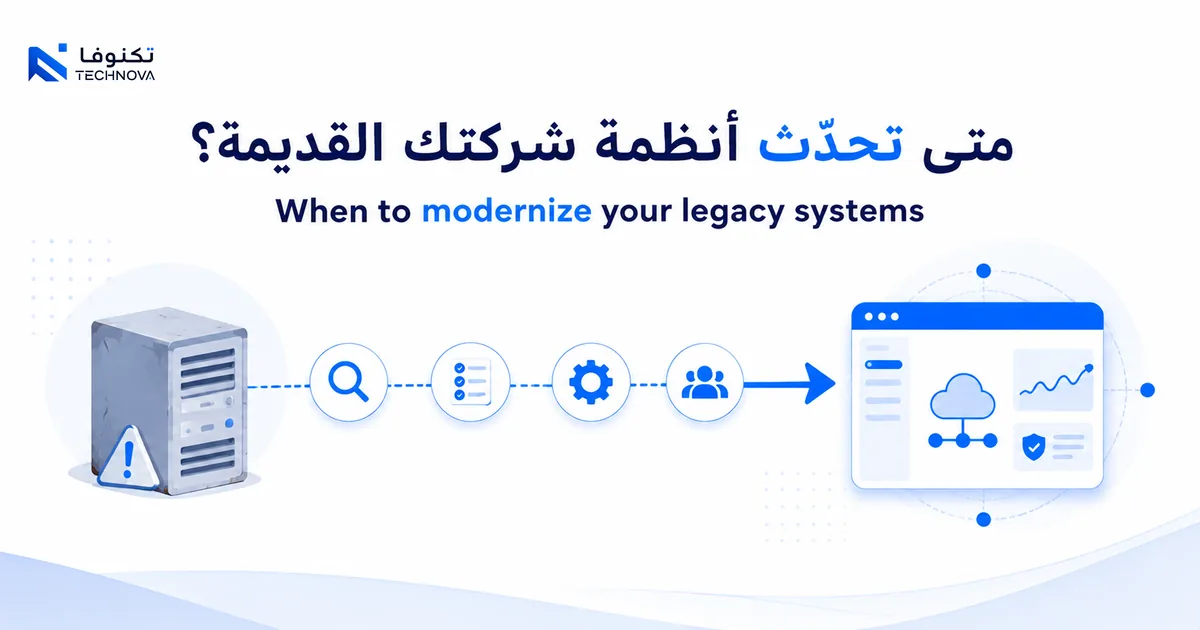
Your business needs to modernize its systems when the legacy system slows your work instead of speeding it up: frequent failures, locked-in data, and difficulty connecting to new tools. Successful modernization does not mean replacing everything at once — it means gradual modernization that starts from the system stalling your daily operations the most.
In this guide: how to know your systems have become legacy, why full replacement fails, how to choose the first system to modernize, migration risks, and the Kuwait context.
How do you know your company's systems have become legacy?
A legacy system is not simply one that is "years old." It is a system that has become a burden instead of a tool.
- It fails often and needs repeated manual workarounds.
- It does not integrate with new tools (email, payments, reporting).
- Its data is locked inside it, hard to export or analyse.
- It depends on one person who knows how to "keep it alive."
- Every small change takes weeks or needs the original vendor.
If three of these signs are true, the system costs you more than it saves.
Why does replacing everything at once fail?
The first temptation is to throw out the old and build a whole new system. But this is the path that fails most often.
Full replacement halts work, costs heavily, and risks losing years of data. Worse, it builds the new system on assumptions, not real usage.
The more successful alternative is gradual modernization: you replace one part at a time while the system keeps running. Each step proves its value before the next.
This lowers risk, spreads cost, and keeps the business running without interruption.
How do you choose the first system to modernize?
Do not start with the oldest, but with the one blocking your work the most. The criteria:
- The system that fails most and stops a whole team.
- The system holding data you need for decisions.
- The system preventing you from adding a service or connecting with a partner.
- The system with the highest maintenance cost versus its actual value.
The system that meets more than one sign is the starting point — modernizing it frees the most value with the least risk.
What are the migration risks and how do you avoid them?
Migration is moving data and processes from the old system to the new. It is the riskiest stage, and the most neglected.
Common risks:
- Losing or corrupting data during the move.
- Work stopping during the switch.
- The team rejecting the new system because they were not trained.
How to avoid them:
- Migrate a copy first and test it before relying on it.
- Run the old and new systems in parallel for a short period.
- Train the team before launch, not after.
- Start with an API (Application Programming Interface) that connects old to new instead of a sudden cut-over.
What Kuwait context should you keep in mind?
Modernizing systems in Kuwait is not separate from the market direction. Kuwait Vision 2035 pushes toward diversification and digitisation, and established companies in trade, logistics, contracting, and retail hold systems that are years old.
Local points to consider:
- Full Arabic support in interfaces and reports, not as an afterthought.
- Integration with local systems and entities (payments, invoicing, government).
- Digitally active sectors: retail, financial services, and logistics.
- Data governance and privacy within local requirements.
The new system must genuinely serve the Kuwait market, not be an Arabised version of a generic solution.
How do you measure the success of modernization?
Modernization without measurement will not tell you whether it worked. Define KPIs (Key Performance Indicators) before you start, not after you finish.
The step many skip: measure the baseline before modernizing. The before-and-after number is your only evidence of improvement, and it is what you show management to justify the investment.
- The number of monthly failures before and after modernization.
- The time it takes to complete a process that was slow on the old system.
- The manual hours modernization saved each week.
- The speed of producing a report that was locked inside the old system.
- The team's satisfaction with the new tool compared to the old one.
A good indicator is tied to a real pain that was blocking you, not a generic number that leads to no decision.
How do you keep your data secure during modernization?
The riskiest part of modernization is not building the new, but moving the data without loss or leakage. Data is your company's memory, and losing it cannot be undone.
Before any move, take a full backup and keep it separate. Do not start the transfer when the only copy is the one you are moving.
Also respect data privacy within Kuwait's local requirements, especially customer data and financial transactions. Compliance is not a later step, but a condition in the design of the new system.
- Take a full backup before starting the move.
- Migrate a test copy and verify its integrity before relying on it.
- Encrypt sensitive data during and after the move.
- Define who has access rights in the new system.
The new system must be more secure than the old one, not just newer in appearance.
How do you choose a reliable modernization partner?
Modernizing legacy systems needs experience in both the old and the new. Choose the partner by clear criteria, not general promises.
A good partner understands your business before proposing a technical solution, and reduces your risk instead of adding a new one.
- Proven experience in gradual migration, not only full replacement.
- A clear plan to preserve data and keep the business running during the transition.
- The ability to connect with your existing systems through APIs (Application Programming Interfaces).
- A commitment to training your team, not handing over the system and leaving.
Ask for examples of previous modernization projects before you agree, and ask how they handled things when something went wrong.
When do you build a custom replacement and when do you buy off-the-shelf?
When modernizing a legacy system, the question is not always "rebuild from scratch?" Sometimes off-the-shelf is enough and saves time and cost.
Buy an off-the-shelf system when the process is standard with mature market solutions, and when you want to reduce the time and cost of modernization as much as possible.
Build a custom replacement when the old system runs your core competitive advantage, or when no ready-made system integrates with the rest of your systems.
Often the best solution is a mix: buy the standard parts, and build what makes your business unique.
What are the signs of successful modernization after launch?
Modernization does not end at the moment of launch; it is measured by what happens in the weeks after. Early signs tell you whether you are on the right track before it is too late.
The first sign is that the team stopped going back to the old system. As long as someone keeps the old way "just in case," modernization is not complete yet.
The second sign is that the failures which used to stall you weekly have become rare, and fixing them no longer depends on one person who knows the system's secrets.
- The team uses the new system automatically, without reminders.
- The time spent on repetitive tasks has actually dropped.
- Data is available for reports without manual consolidation.
- Support requests about the old system have gradually disappeared.
- You can add a feature or a new integration without fear of breaking something.
A deeper sign: you can now think about improvement instead of firefighting. A successful system frees your time for growth, not swallows it in maintenance.
Watch these signs in the first three months. If they are absent, the problem is usually in adoption or training, not the system itself — and it is easier to fix when you catch it early.
Where do you practically start?
- List your systems, and which stalls the work most.
- Choose one system — the most obstructive.
- Define the target outcome with a number (less time, fewer failures).
- Start with Discovery to understand the process before building the replacement.
- Plan a gradual migration with parallel running.
An illustrative example: a distribution company runs inventory on an old system that fails weekly. It starts by connecting an API that moves inventory data to a modern tool, then replaces the hardest part later. Work does not stop, and value appears early.
Related links
- Process automation and CRM/ERP systems
- The markets we serve across the region
- When does your business need a custom ERP?
If you have an old system stalling your daily work, talk to the Technova team about planning a gradual modernization that keeps your business running.